A Game Changer for Furigana! This Amazing Word Feature Automatically Adds Readings
I’m Ken Kuwako, a science trainer, and for me, every day is an experiment.
“Will all my students be able to read this kanji?”
Have you ever worried about that? When you start a new unit and hand out a worksheet or a test with difficult kanji and technical terms, it’s easy to wonder if students who struggle with reading will be able to follow along. It’s such a waste when you’ve put so much effort into creating a great resource, only for students to get stuck on a few characters. When that happens, they can’t understand the content, or they can’t even start on the test questions.
“I know I should add furigana to every kanji… but doing it by hand takes way too long!”
If you’ve ever felt this way, I’ve got a fantastic solution for you. There’s a magic time-saving trick using a simple Word feature that will solve this problem instantly. For a while, there have been macros that automatically add furigana to Word documents. I even used one myself, following the instructions on this page. However, due to OS updates and other issues, these macros have become less reliable, and many teachers can no longer use this helpful feature. I was one of them.
So, I decided to improve the macro myself, adjusting it to automatically add furigana to almost all kanji. This is a simple but powerful tool that will make creating your daily teaching materials much easier. Please note: This macro only works in a Windows environment. With this macro, you can create easy-to-read worksheets for your students in a fraction of the time.
Watch this video to see how the furigana is added automatically.
How to Set Up the Auto-Furigana Macro
Setup (Do this once)
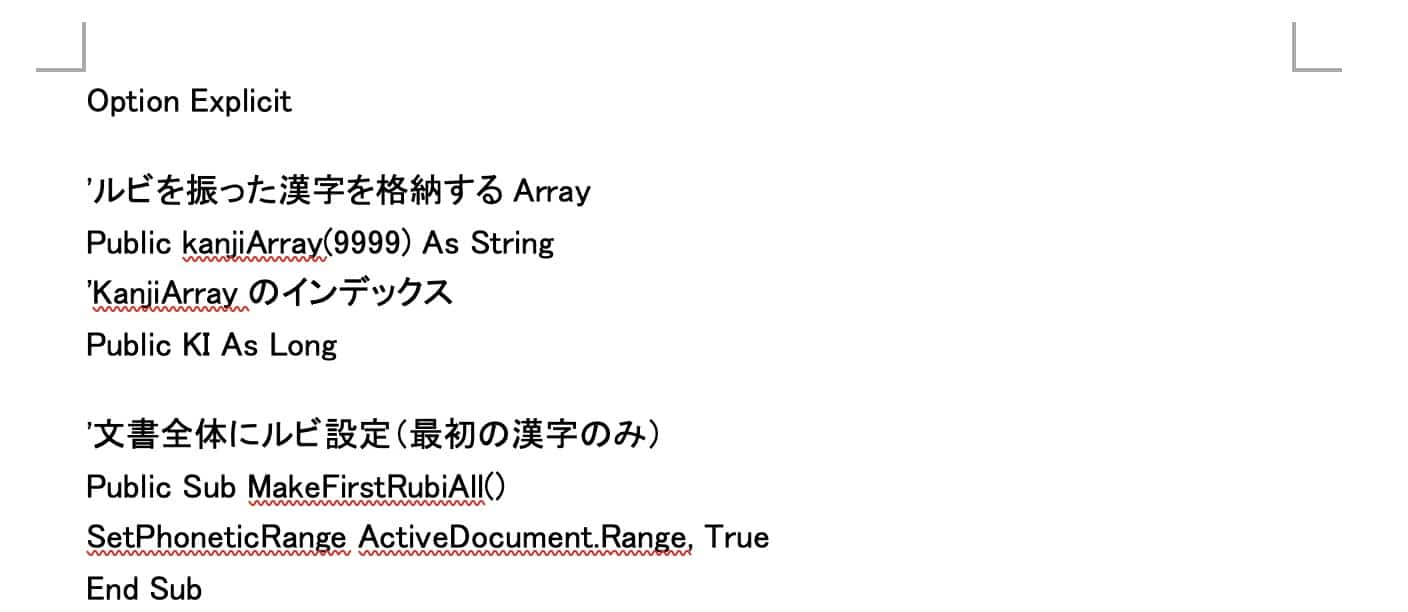
Open this Word file, then copy all the code inside. Select all and copy.
Word file with the Furigana Macro
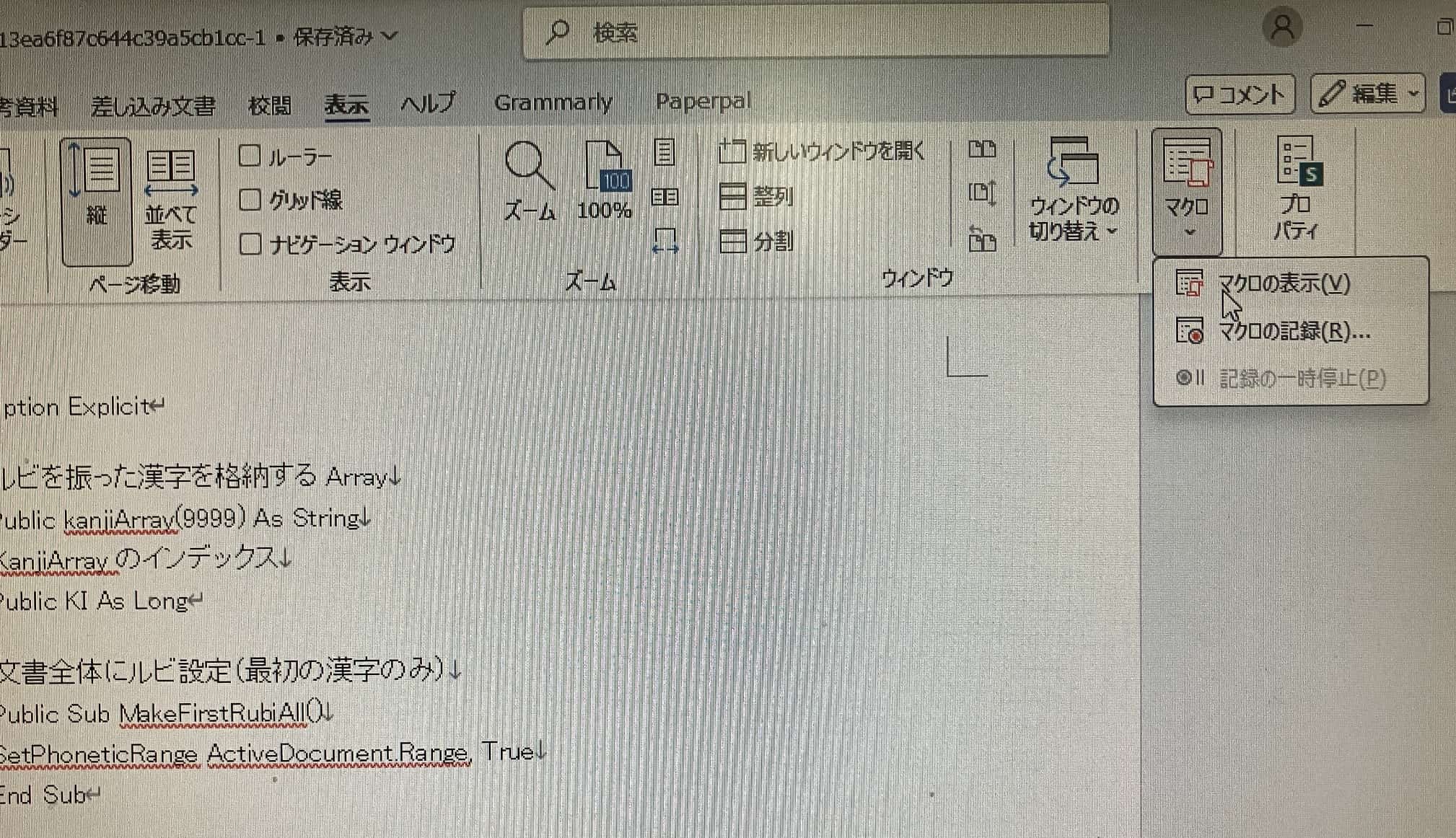
2. With Word still open, click the “View” tab.
3. In the “Macros” group, click “Macros” and then select “View Macros.”
4. The “Macros” dialog box will appear. Enter a macro name (for example, test) and then click the “Create” button.
5. The VBA editor will open. Delete any existing code, and then paste the code you just copied.
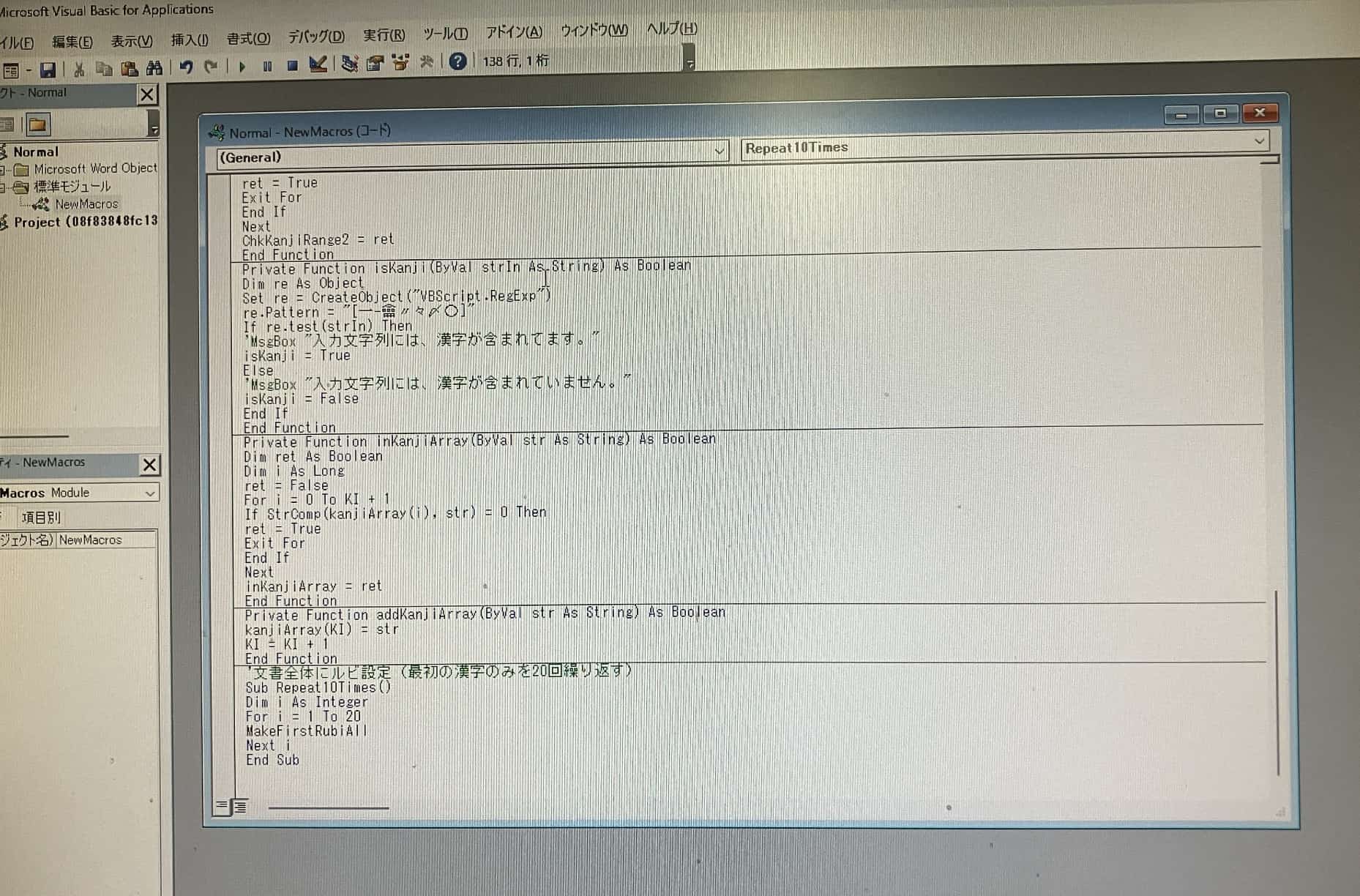
6. Save and close the VBA editor.
That’s it for the setup. You only need to do this once.
How to Run the Macro
Open the Word file you want to add furigana to (e.g., a test or worksheet).
Go to the “View” tab and select “Macros” → “View Macros.”
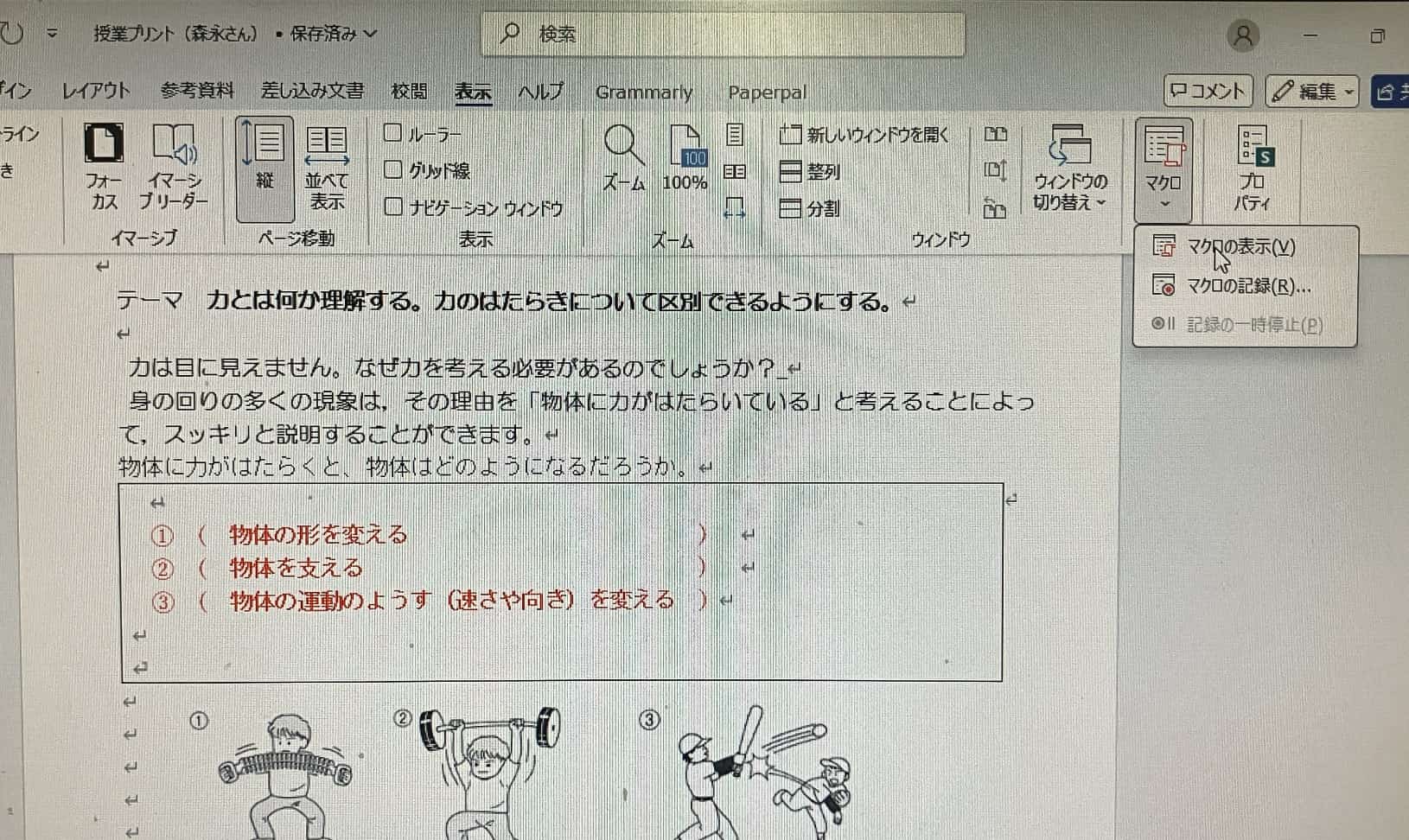
From the list, select “Repeat10Times” and click the “Run” button.
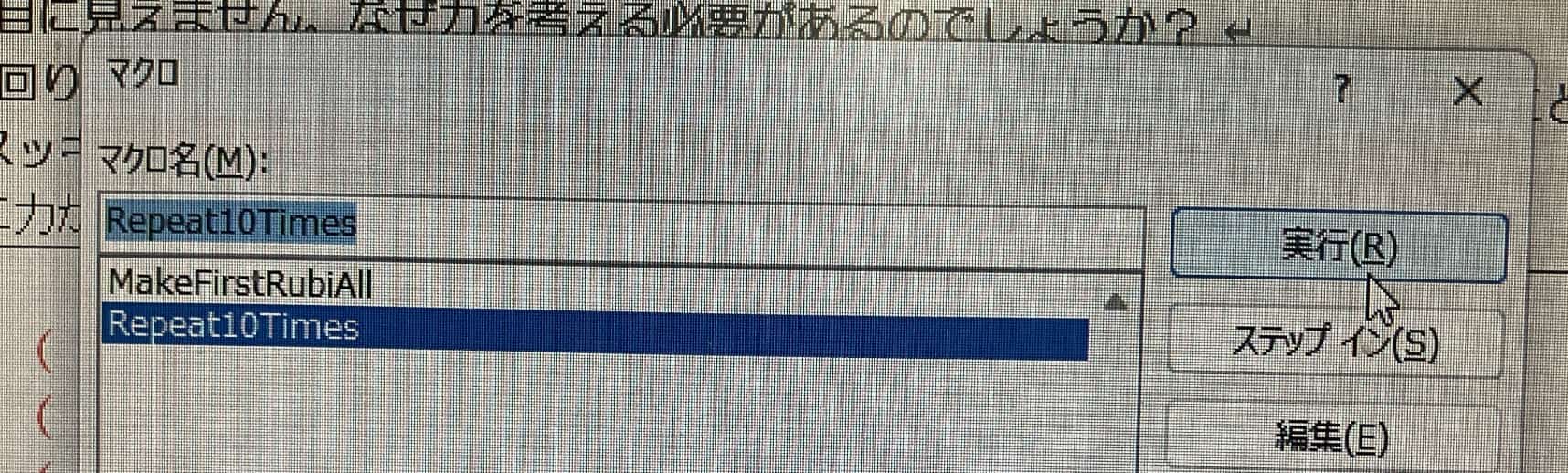
The macro will now automatically start adding furigana to the kanji in your document from top to bottom. Just leave it running and you can go do other work. You can see this process in action in the YouTube video above.
This macro uses a repeating process to add furigana to most kanji, but it may not add it to the same kanji if it appears more than 20 times. In that case, you can either run the macro again or add the furigana manually.
Always make sure to do a final check of the content. It’s usually correct, but for example, “表” might be given the reading “おもて” when you wanted “ひょう.” Please double-check for these kinds of errors.
Inquiries & Requests
We want to make the wonders of science more accessible! We’ve put together fun science experiments you can do at home, along with easy-to-understand tips. Feel free to explore our articles!
・About the author, Ken Kuwako: Click here
・For business inquiries (writing, lectures, science workshops, TV supervision, appearances, etc.): Click here
・Get updates on new articles on X!
 We post experiment videos on the Kagaku no Neta Channel!
9月のイチオシ実験!
お弁当箱をプラバンがわりにしてキーホルダーを作ろう!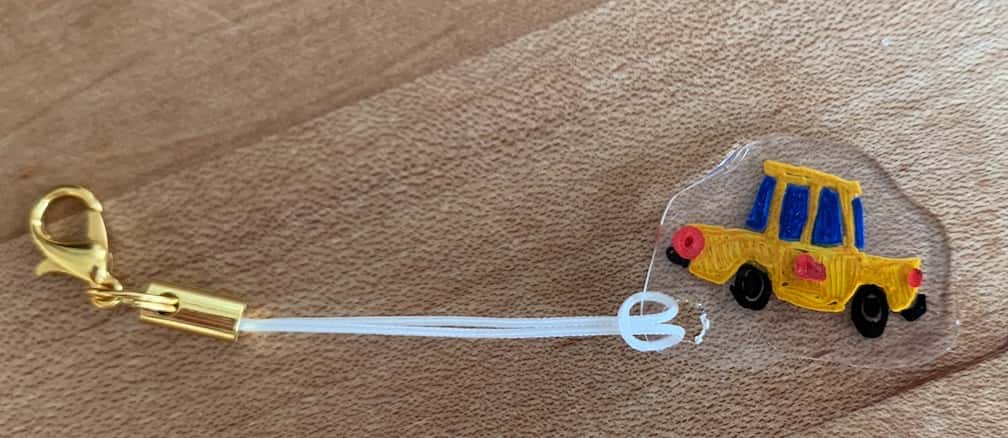
テレビ番組監修・イベント等のお知らせ
- 8月27日(木)科学監修番組放送予定
- 9月20日(日)ダビンチマスターズ出演予定
- 10月10日(土)11:15~12:00 千葉市科学フェスタ2026「桑子先生の回転科学ショー」にてサイエンスショーを行います。
- 12月26日(土) ナリカサイエンスアカデミー(教員向け実験講習会)開催
書籍のお知らせ
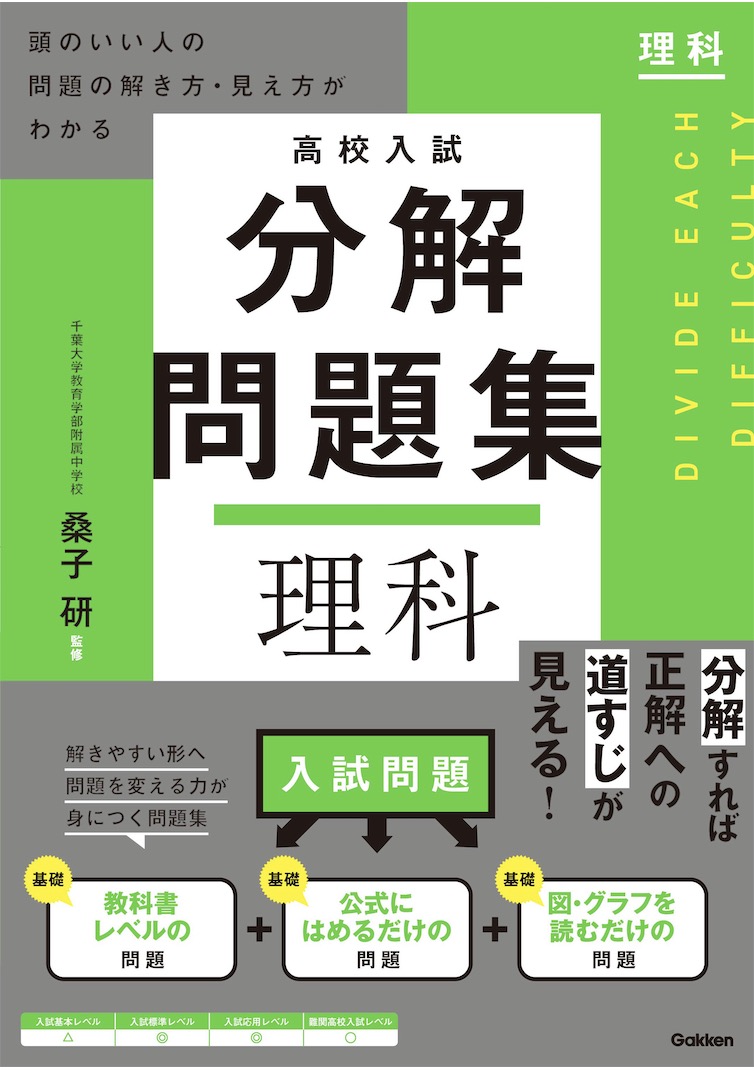
- 『高校入試 分解問題集 理科』(学研)…難しい問題も小さな問題に分解することで、問題を解くことができます。そんな分解の技術が身につくように深く関わりを持って作りました。
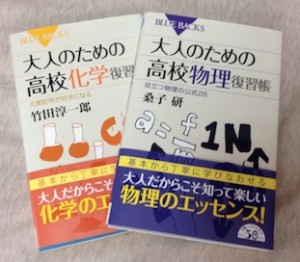
 『大人のための高校物理復習帳』(講談社)…一般向けに日常の物理について公式を元に紐解きました。特設サイトでは実験を多数紹介しています。※増刷がかかり6刷となりました(2026/02/01)
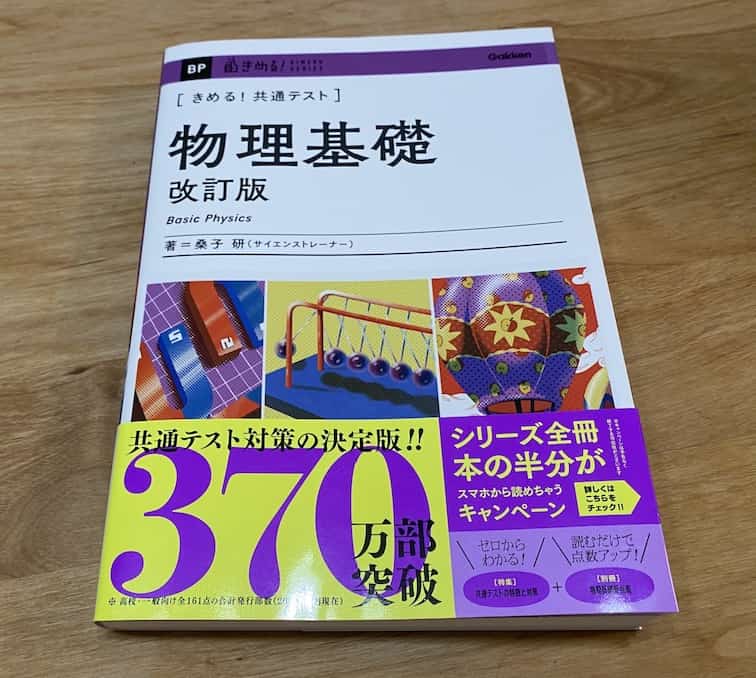
- 『きめる!共通テスト 物理基礎 改訂版』(学研)… 高校物理の参考書です。イラストを多くしてイメージが持てるように描きました。授業についていけない、物理が苦手、そんな生徒におすすめです。特設サイトはこちら。
各種SNS(更新情報をお届け!)
【日本語】X(Twitter)/instagram/Facebook 【英語】BlueSky/Threads
Explore
- 楽しい実験…お子さんと一緒に夢中になれるイチオシの科学実験を多数紹介しています。また、高校物理の理解を深めるための動画教材も用意しました。
- 理科の教材… 理科教師をバックアップ!授業の質を高め、準備を効率化するための選りすぐりの教材を紹介しています。
- Youtube…科学実験等の動画を配信しています。
- 科学ラジオ …科学トピックをほぼ毎日配信中!AI技術を駆使して作成した「耳で楽しむ科学」をお届けします。
- 講演 …全国各地で実験講習会・サイエンスショー等を行っています。
- About …「科学のネタ帳」のコンセプトや、運営者である桑子研のプロフィール・想いをまとめています。
- お問い合わせ …実験教室のご依頼、執筆・講演の相談、科学監修等はこちらのフォームからお寄せください。