Master the Toughest Topic in Physics: Helical Motion! Break Free from the Textbook with 3D Graphs (Grapher & GeoGebra)
I am Ken Kuwako, your Science Trainer. Every day is an experiment.
Have you ever wanted to take those static diagrams from your physics textbook and make them dance in 3D right before your eyes? On a flat page, a phenomenon might look like nothing more than a tangled mess of lines. But when you step back and view it from a new perspective, you’ll find the hidden, breathtakingly beautiful, and dynamic laws of the universe.
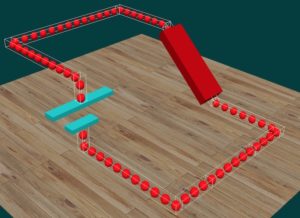
Today, you don’t need any specialized knowledge or expensive software! I’m going to show you how to master one of the trickiest concepts in physics—helical motion—using a hidden gem of an app that comes standard on every Mac. First, take a look at this site to get a feel for what we are aiming for:
「High School Physics CG Video Materials」
The Best Tool You Never Knew You Had: Mac’s Grapher
Do you think creating 3D graphs requires complex coding or professional analysis software? Think again. If you’re a Mac user, you already have a powerhouse tool sitting in your Applications folder for free. It’s called Grapher.

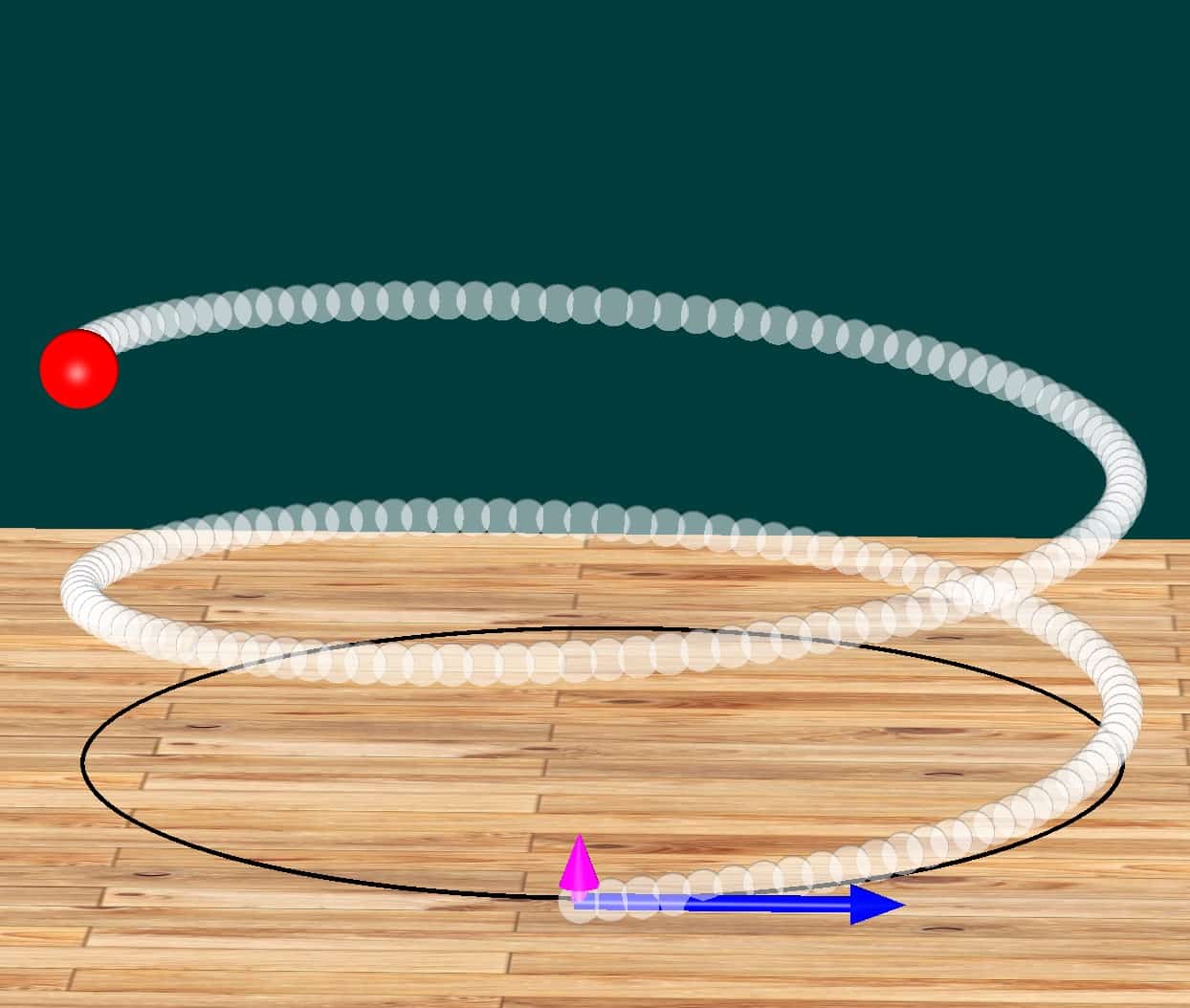
It’s a bit of an unsung hero, but with just a few simple equations, it can render stunning 3D visualizations in seconds. Today, we’re going to recreate the helical motion of a charged particle, a classic topic in electromagnetism. When a particle enters a uniform magnetic field at an angle, it experiences a mysterious force called the “Lorentz force,” which pushes it into a path that circles and moves forward simultaneously.
This exact motion is what creates the Aurora Borealis (the Northern Lights). Charged particles from the sun get trapped by Earth’s magnetic field, spiraling down toward the poles. As they crash into our atmosphere, they release the brilliant light we see from the ground.
While beautiful, this concept is often a nightmare for students because it’s hard to visualize 3D movement on a 2D sheet of paper. That is exactly where 3D graphing saves the day!
Turn Equations into Living Physics
Here is the final result. Seeing it move and rotate is truly impressive:
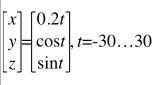
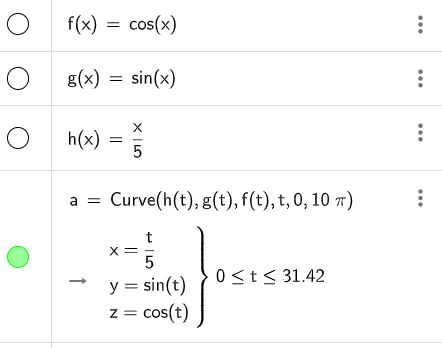
The magic of Grapher is that you can type in equations exactly as they are. To create this spiral, you only need these simple “magic words”:
Type these in, click, and—voila!—the spiral appears.
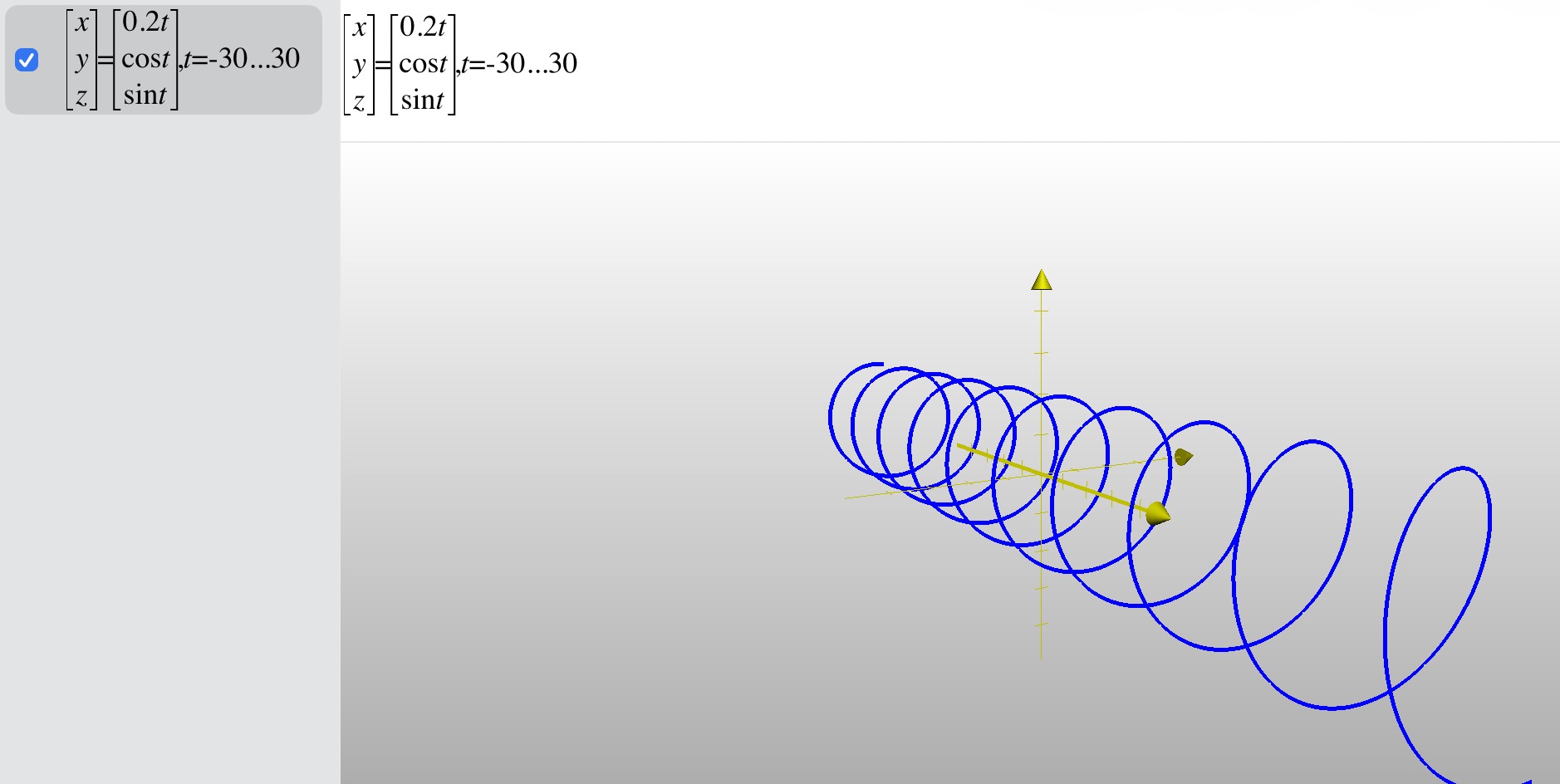
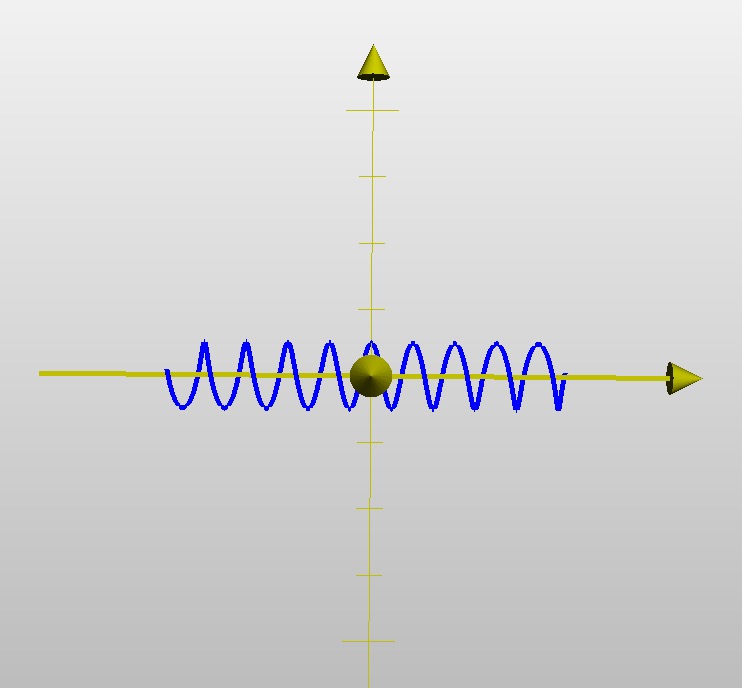
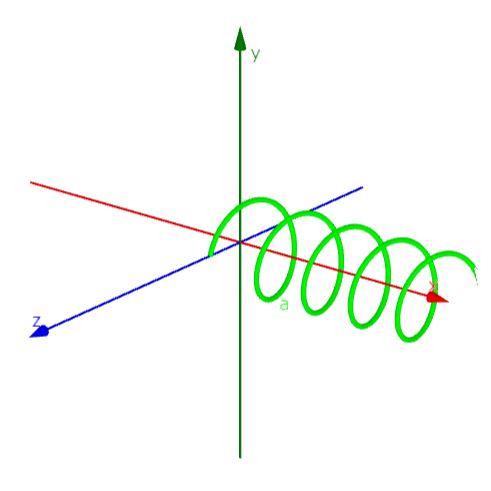
The logic is simple: we move the particle at a constant speed in the x-direction (x=0.2t) while combining sine and cosine for the y and z directions. This creates a circle that moves forward—a helix! Once it’s drawn, you can use your mouse to orbit the graph and see it from any angle.
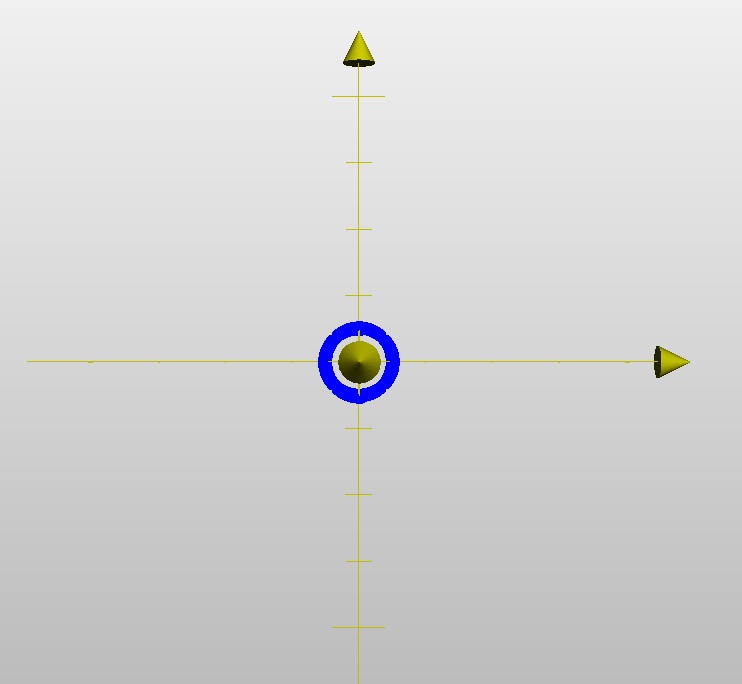
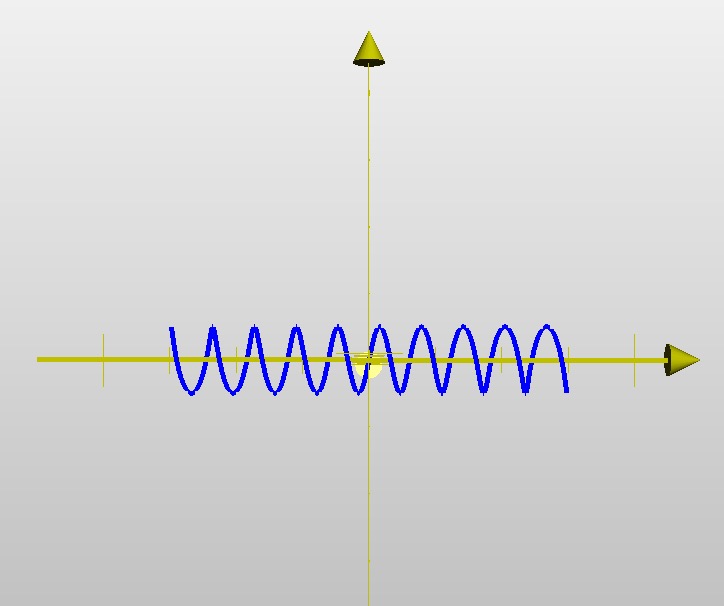
View the whole picture from an angle!
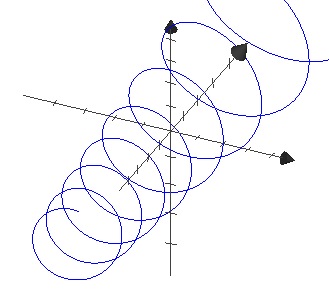
From the front (x-axis), it’s a perfect circle!
From the side, it’s a steady sine wave!
From the top, it’s a steady cosine wave!
If you aren’t on a Mac, I also highly recommend GeoGebra, a free browser-based app. Much like Grapher, you can just input your formulas and watch the math come to life. It’s a fantastic digital canvas.
Here is an even more detailed version created by another teacher—truly impressive work:
「charged particle in magnetic field」https://www.geogebra.org/m/afphxyqj
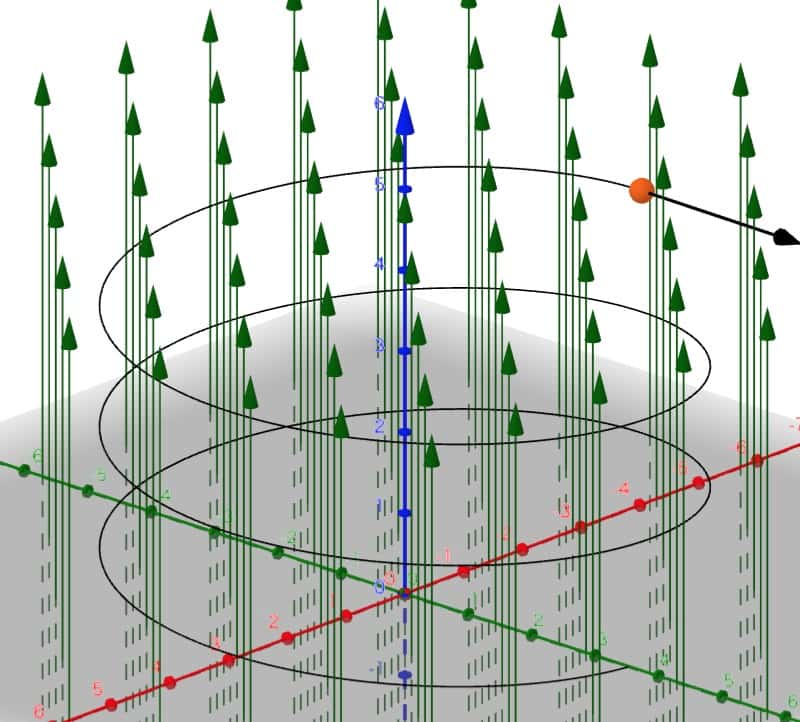
Since it’s in 3D, you can tweak the parameters and observe the motion from any perspective you like.
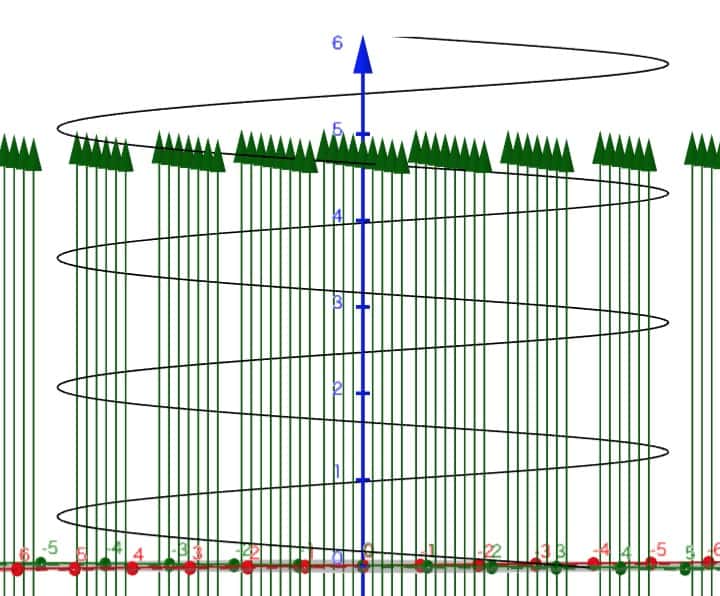
Looking from above…
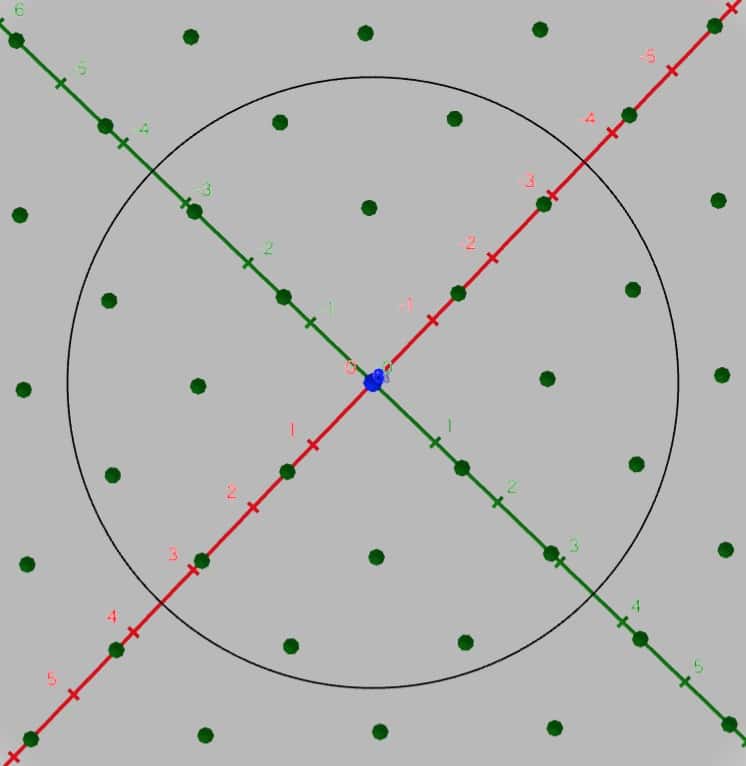
What do you think? I was blown away when I first discovered this. Huge thanks to the creators! These apps make math and physics so much more intuitive. We really do live in a wonderful era for learning.
A New Perspective Changes Everything
When solving physics problems, the most important skill is looking at things from multiple angles. When you spin a 3D graph and see exactly where to “slice” the motion to analyze it, the math starts to make sense.
Physics is the study of the “rules of the world.” There’s no reason not to use a tool like Grapher to visualize those rules so easily. I encourage you all to play around with functions and physical phenomena in 3D. It will turn your black-and-white textbook world into full color!
Inquiries and Requests
Let’s bring the wonder of science closer to home! I share fun experiments you can try at home and easy-to-understand tips. Feel free to explore more:
My blog content is now a book! Find it here
Learn more about the author, Ken Kuwako, here
For professional requests (writing, speaking, workshops, TV supervision, etc.), click here
– Follow me on X (formerly Twitter) for updates!
 Visit the Science Material Channel for experiment videos!
9月のイチオシ実験!
お弁当箱をプラバンがわりにしてキーホルダーを作ろう!
テレビ番組監修・イベント等のお知らせ
- 8月27日(木)科学監修番組放送予定
- 9月20日(日)ダビンチマスターズ出演予定
- 10月10日(土)11:15~12:00 千葉市科学フェスタ2026「桑子先生の回転科学ショー」にてサイエンスショーを行います。
- 12月26日(土) ナリカサイエンスアカデミー(教員向け実験講習会)開催
書籍のお知らせ
- 『高校入試 分解問題集 理科』(学研)…難しい問題も小さな問題に分解することで、問題を解くことができます。そんな分解の技術が身につくように深く関わりを持って作りました。
 『大人のための高校物理復習帳』(講談社)…一般向けに日常の物理について公式を元に紐解きました。特設サイトでは実験を多数紹介しています。※増刷がかかり6刷となりました(2026/02/01)

- 『きめる!共通テスト 物理基礎 改訂版』(学研)… 高校物理の参考書です。イラストを多くしてイメージが持てるように描きました。授業についていけない、物理が苦手、そんな生徒におすすめです。特設サイトはこちら。

各種SNS(更新情報をお届け!)
【日本語】X(Twitter)/instagram/Facebook 【英語】BlueSky/Threads
Explore
- 楽しい実験…お子さんと一緒に夢中になれるイチオシの科学実験を多数紹介しています。また、高校物理の理解を深めるための動画教材も用意しました。
- 理科の教材… 理科教師をバックアップ!授業の質を高め、準備を効率化するための選りすぐりの教材を紹介しています。
- Youtube…科学実験等の動画を配信しています。
- 科学ラジオ …科学トピックをほぼ毎日配信中!AI技術を駆使して作成した「耳で楽しむ科学」をお届けします。
- 講演 …全国各地で実験講習会・サイエンスショー等を行っています。
- About …「科学のネタ帳」のコンセプトや、運営者である桑子研のプロフィール・想いをまとめています。
- お問い合わせ …実験教室のご依頼、執筆・講演の相談、科学監修等はこちらのフォームからお寄せください。