
Hidden Trick Discovered! See Infrared with Your iPhone (Take a Peek into the World of Infrared!)
This article is also available as a podcast!
Peek into the Invisible: Seeing Infrared with Your Smartphone
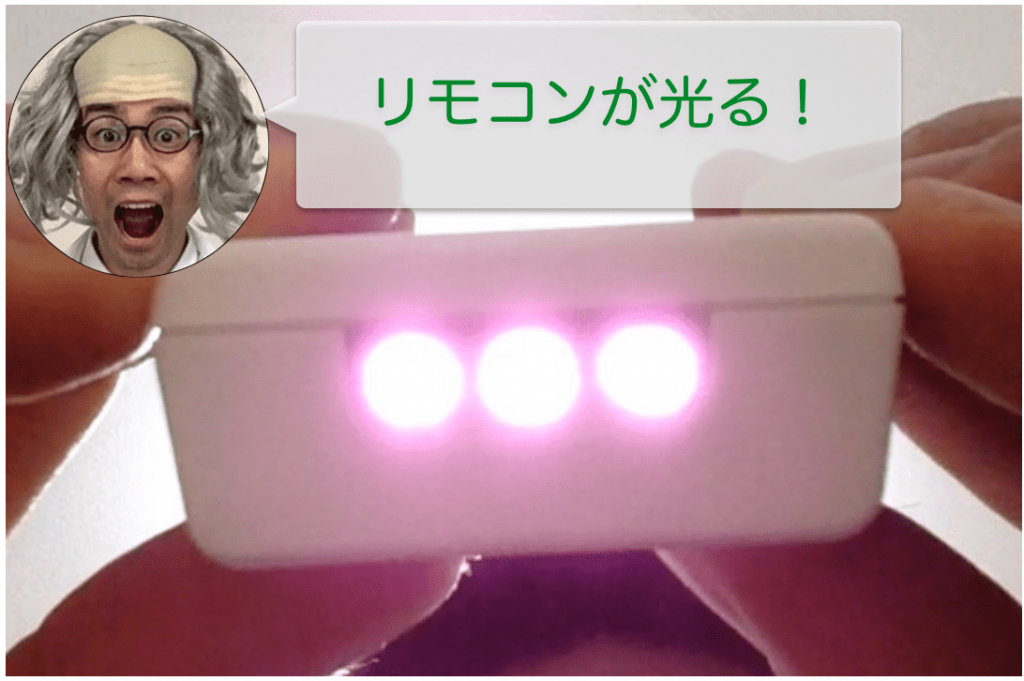
This article is also available as a video.
In science class, understanding “things we can’t see” can often be a turning point for students’ comprehension. One of the best examples of this is light. Many students think of light as “what we can see,” but in reality, what our eyes perceive is only a small portion of the electromagnetic spectrum, called visible light. So what about the “invisible” light beyond that? One such type is infrared radiation, which is the focus of this post.
Infrared is a type of electromagnetic wave with a longer wavelength than visible light. It’s used in a wide range of applications: remote controls, security cameras, temperature sensors, and even space telescopes. Humans, however, cannot see it with the naked eye. But with a clever trick using something everyone has—a smartphone—you can actually make infrared light visible!
This method allows you to visualize infrared in science experiments, and it might even help you spot security cameras in your home that rely on infrared in the dark.
What is Infrared?
When we see and recognize objects, our eyes capture waves of light called electromagnetic waves emitted from those objects. Among these waves, humans can detect wavelengths from 380 nm to 750 nm, interpreting different wavelengths as different colors.

Note: “nm” (nanometer) equals 10⁻⁹ meters.
As shown in the diagram, longer wavelengths appear red, and shorter wavelengths appear violet. This sequence is often remembered with the mnemonic: Red, Orange, Yellow, Green, Blue, Indigo, Violet (ROYGBIV). This range of electromagnetic waves that humans can perceive is called visible light.
Beyond visible light, there are other types of electromagnetic waves that humans cannot see. For example:
-
Ultraviolet (UV) light: wavelengths shorter than violet
-
Infrared (IR) light: wavelengths longer than red
While humans cannot detect these directly, some other species can. For instance, cabbage white butterflies are known to see ultraviolet light.
Let’s Try Seeing Infrared!
Infrared light has different types, similar to visible light. There’s near-infrared, which behaves much like visible light, and mid- and far-infrared, which have longer wavelengths. Here, we’ll focus on near-infrared.
When you press a button on a remote control, it emits infrared waves from the tip. Since infrared is not visible light, you can’t see it with your eyes. This “invisibility” is actually useful: infrared is used in remotes so that the signal doesn’t bother us in daily life. Technically, visible light could be used for communication, but a blinking visible light on your remote would be distracting.
A while back, pointing a remote at a digital camera allowed you to see the infrared signal through the camera screen. This is because the camera’s image sensor can detect wavelengths beyond what human eyes can see, including near-infrared.
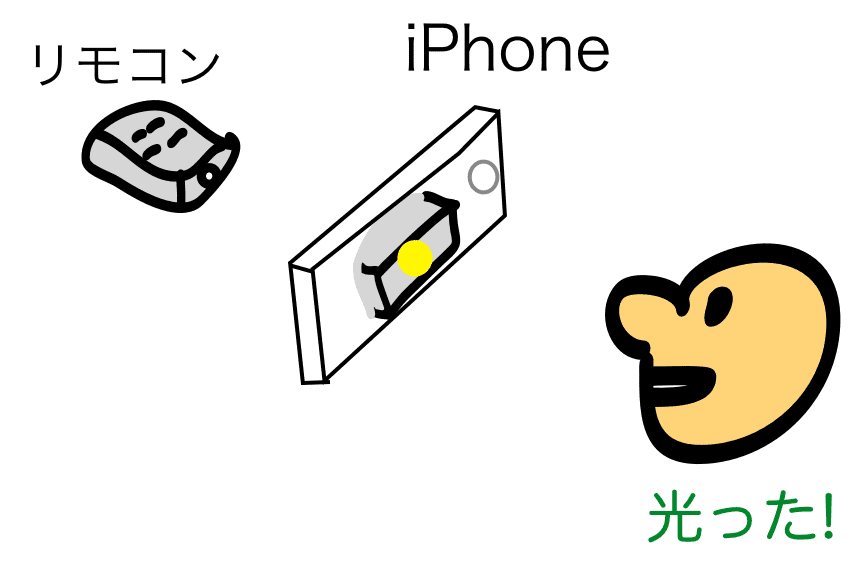
However, capturing infrared can alter the colors in photos, since the camera sees light our eyes can’t. Older iPhones could also detect infrared through the camera. But in modern smartphones, infrared is blocked by an IR-cut filter built into the lens. This filter blocks electromagnetic waves longer than 750 nm and lets only visible light reach the sensor, so photos appear more like what our eyes see. Today, almost all digital cameras include IR-cut filters.
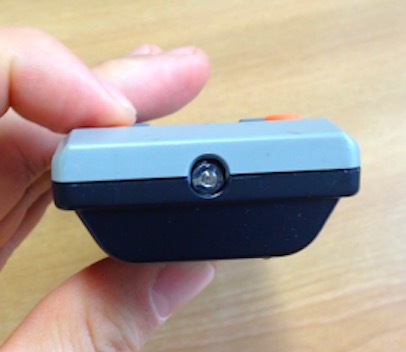
When I tried photographing with an iPhone, I couldn’t see the infrared at all!
For classroom experiments in the past, we had to bring older digital cameras to see infrared. But recently, I discovered that with one simple trick, you can even see infrared with an iPhone (or other modern smartphones)! You can see it clearly in this video.
Pretty amazing, right? That one simple trick makes all the difference. I’ve tried it on other smartphones too, and it works there as well. Today, I’ll share this little hack for seeing infrared light.
Science Recipe: Seeing Infrared with Your Smartphone
What you need:
-
A remote control (any kind will work, but different remotes emit light differently—so trying several can be fun!)
-
A smartphone, like an iPhone
Method:
-
Switch your smartphone camera from the rear camera (the normal camera) to the front camera (the selfie camera).
-
Place your smartphone on a table, point the front camera toward the remote, and press the buttons. Watch the screen to see what happens.
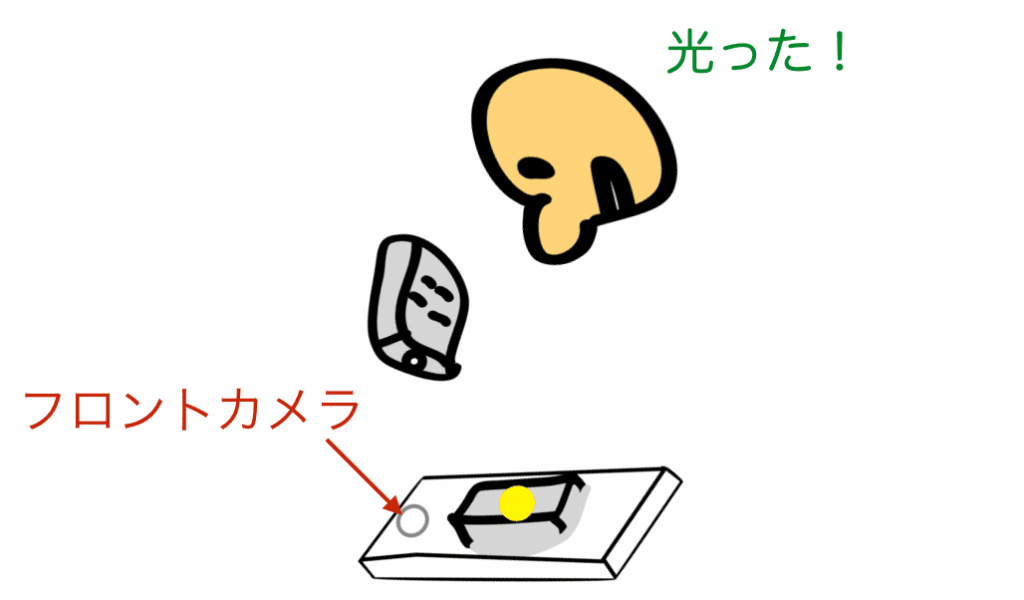
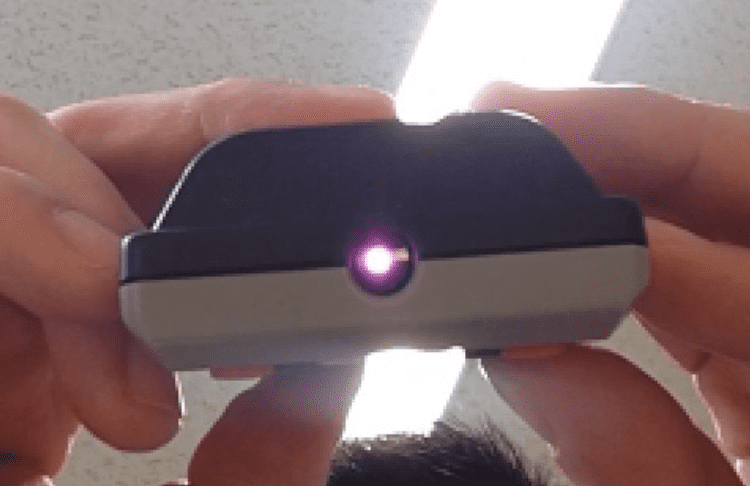
It lights up!
Yes—the key is using the front camera. The rear camera won’t capture the infrared.The infrared from your lighting remote is even more visible.
-
Press another button…
-
Wow, that’s bright!
Here’s what it looks like in the dark—the light appears even brighter.
When I first noticed this, I was so excited I almost jumped for joy! It’s really fun. If you try it in a dark room and point the camera at different electronics, you might be surprised to see infrared signals glowing from unexpected devices.
For example:
-
The sensor in a bathroom light
-
Security cameras
-
Even another iPhone when using Face ID
In practical terms, this method can be used to check if a remote is working or to detect hidden infrared cameras.
Why Can Only the Front Camera See Infrared?
So why is it that only the front camera can detect infrared? Unlike the rear camera, the front camera isn’t designed to reproduce colors exactly as the human eye sees them. Its main purpose is to capture your face for things like video calls. Because of this, it doesn’t matter if some infrared light is included—it doesn’t affect the camera’s intended use. Also, adding an IR-cut filter would increase the thickness of the camera module, so for design reasons, manufacturers likely prioritize keeping the front camera thin.
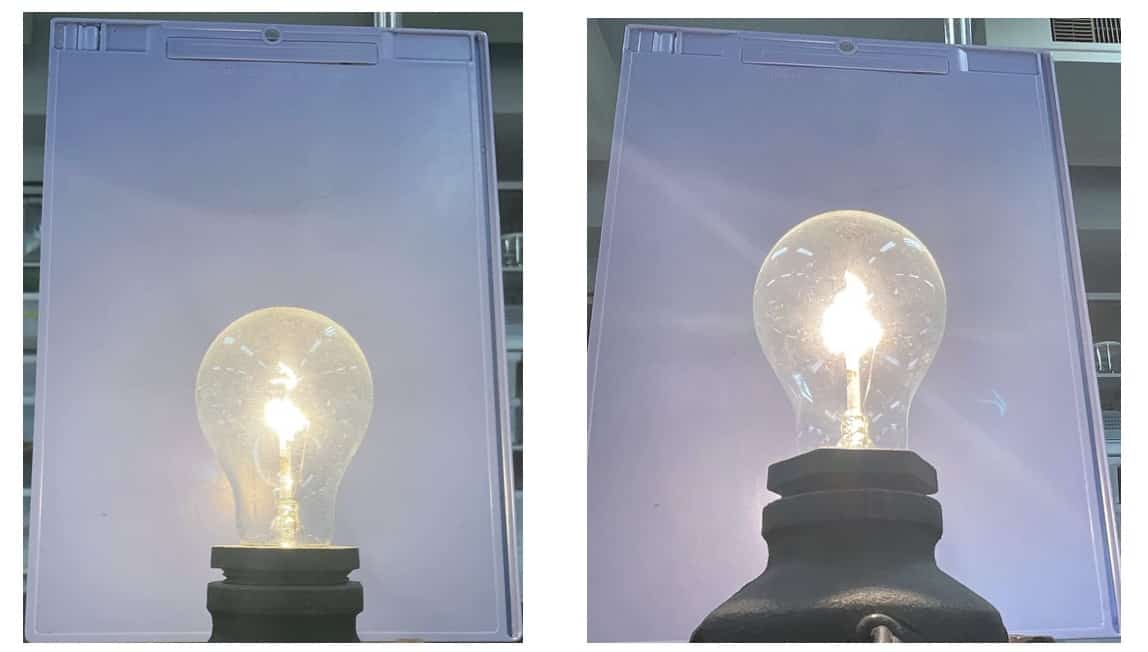
Objects that emit infrared will appear slightly different depending on the camera. If you take photos of sunlight or incandescent light, you may notice subtle differences between the front and rear cameras. For example, here’s a comparison:
-
Left: Rear camera (without an IR-cut filter)
-
Right: Front camera (with some IR sensitivity)
In this test, I locked focus and exposure (AF/AE lock) on the background. You can see that the front camera appears slightly brighter, and the filament of the bulb looks brighter too—likely because it’s capturing some infrared light.
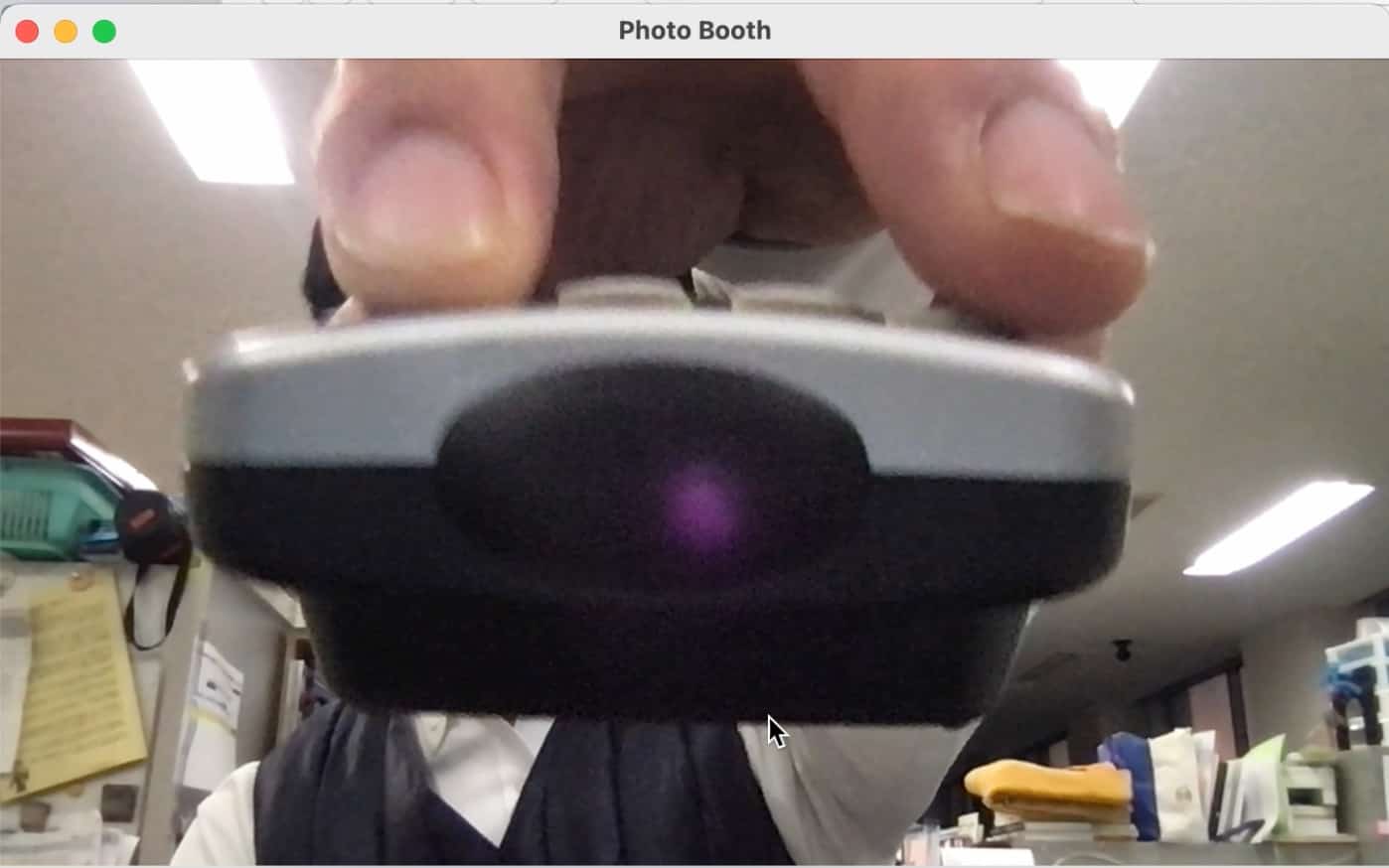
However, in terms of overall photo quality, the difference isn’t huge. Interestingly, even the front camera on a MacBook can capture infrared light.
Infrared in Face Recognition (Face ID)
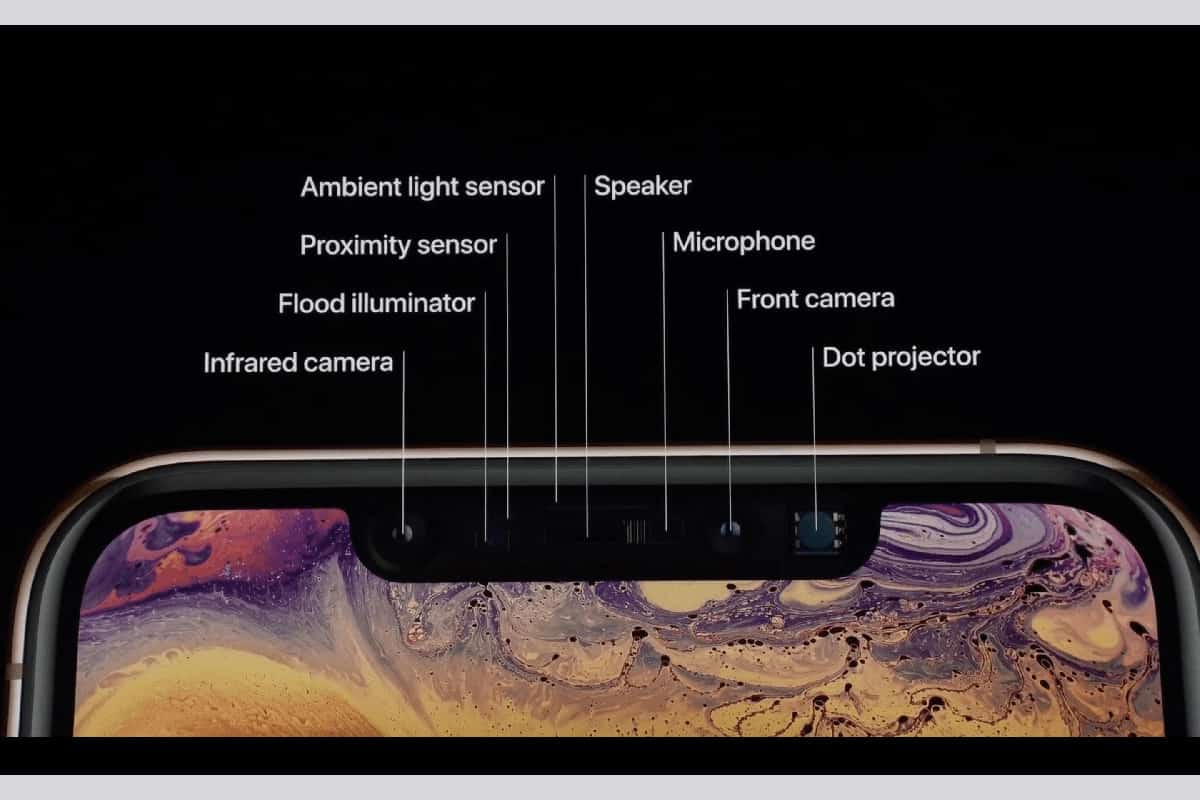
On a related note, smartphones use infrared in face recognition technology. A proximity sensor emits infrared beams to measure the distance between your face and the phone. When your face is close enough, a dot projector projects tens of thousands of infrared dots onto your face. A separate infrared camera then detects the pattern of reflected dots, analyzes the 3D shape of your face (eyes, nose, mouth), and uses mathematical algorithms to determine whether it’s you.
It’s fascinating that infrared is used not just for seeing invisible light, but also for verifying your identity!
Reference: Apple website
From left: Infrared camera, flood illuminator, proximity sensor, ambient light sensor, speaker, microphone, front camera, dot projector
When I tested it myself… indeed! You can actually see the light glowing.
9月のイチオシ実験!
テレビ番組監修・イベント等のお知らせ
- 9月25日(金)21:00〜 かまいたちの瞬間回答!にて、科学監修を行いました。
- 10月10日(土)11:15~12:00 千葉市科学フェスタ2026「桑子先生の回転科学ショー」にてサイエンスショーを行います。

- 12月26日(土) ナリカサイエンスアカデミー(教員向け実験講習会)開催
書籍のお知らせ
- 『高校入試 分解問題集 理科』(学研)…難しい問題も小さな問題に分解することで、問題を解くことができます。そんな分解の技術が身につくように深く関わりを持って作りました。
 『大人のための高校物理復習帳』(講談社)…一般向けに日常の物理について公式を元に紐解きました。特設サイトでは実験を多数紹介しています。※増刷がかかり6刷となりました(2026/02/01)

- 『きめる!共通テスト 物理基礎 改訂版』(学研)… 高校物理の参考書です。イラストを多くしてイメージが持てるように描きました。授業についていけない、物理が苦手、そんな生徒におすすめです。特設サイトはこちら。

各種SNS(更新情報をお届け!)
【日本語】X(Twitter)/instagram/Facebook 【英語】BlueSky/Threads
Explore
- 楽しい実験…お子さんと一緒に夢中になれるイチオシの科学実験を多数紹介しています。また、高校物理の理解を深めるための動画教材も用意しました。
- 理科の教材… 理科教師をバックアップ!授業の質を高め、準備を効率化するための選りすぐりの教材を紹介しています。
- Youtube…科学実験等の動画を配信しています。
- 科学ラジオ …科学トピックをほぼ毎日配信中!AI技術を駆使して作成した「耳で楽しむ科学」をお届けします。
- 講演 …全国各地で実験講習会・サイエンスショー等を行っています。
- About …「科学のネタ帳」のコンセプトや、運営者である桑子研のプロフィール・想いをまとめています。
- お問い合わせ …実験教室のご依頼、執筆・講演の相談、科学監修等はこちらのフォームからお寄せください。