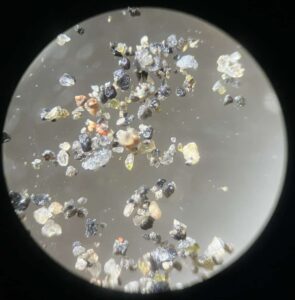
Draw Snowflakes with Scratch! Create Stunning Fractals Using the “Magic of Self-Calling”
I’m Ken Kuwako, a Science Trainer, and for me, every day is an experiment!
Snowflakes, jagged coastlines, and even the broccoli on your dinner plate. Do you know the “secret to their beauty” that they all share? It’s a fascinating property: a small part, when magnified, reveals a shape uncannily similar to the whole.
This design rule hidden in nature is called a “fractal.” And today, we’re going on an adventure to create these mysterious fractal shapes using the programming tool, “Scratch”! It’s like being a magician, combining simple commands to bring a complex and beautiful world to life. It’s truly a blast!
First, the finished product! Let’s see the art created by magic
Here is the program we’ll be creating today.
Click the green flag in the top left corner, and the shape will start to draw. If you’re too impatient to wait for it to finish, try clicking the flag while holding down the Shift key on your keyboard. This will activate Turbo Mode, and the art will be completed in an instant.
What do you think? It’s a beautiful pattern, isn’t it? The magic spells needed to draw this shape are just two. “Create Block (the magic to create your own commands)” and “Recursion (the magic to call yourself).” So, let’s unlock the secrets of this magic together!
Step 1: The Basic Spell – “Triangle, Appear!”
First, we’ll create the program to draw an equilateral triangle, which is the basis for everything. This is an easy one.
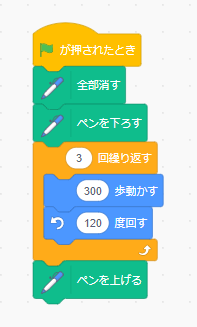
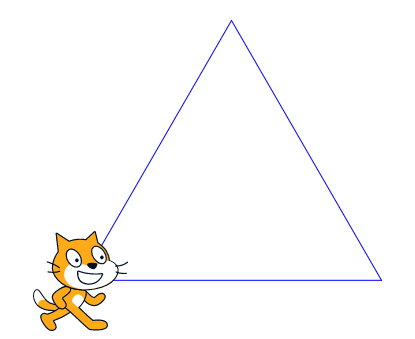
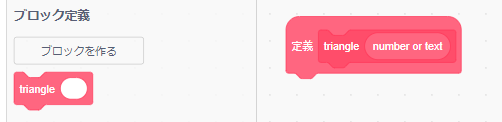
Next, let’s use the “Create Block” feature to turn this sequence of actions into an original spell that can be called up at any time. Think of it as registering a new spell in your magic book.
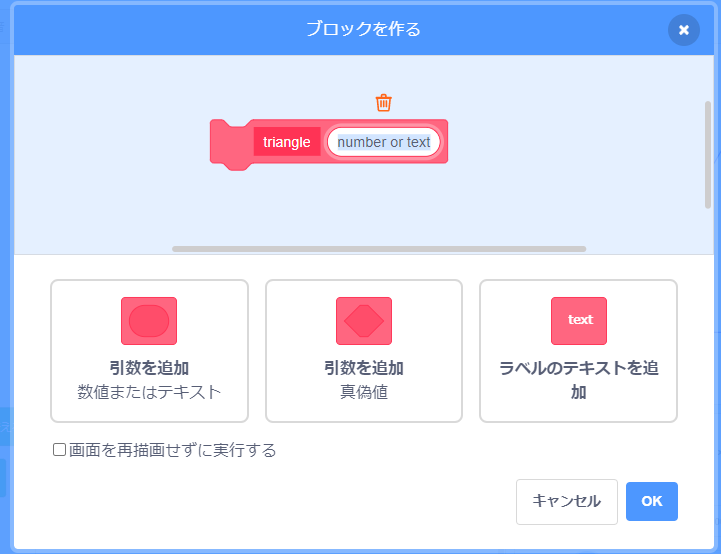
Here, we’ll name our spell “triangle” and add an “argument.” This argument will be used to specify the size of the triangle. This allows you to freely change the size, like saying, “Draw a big triangle!” or “Draw a small triangle!”
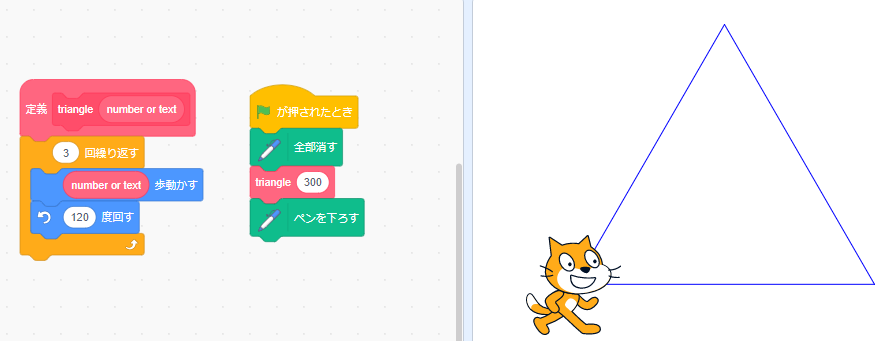
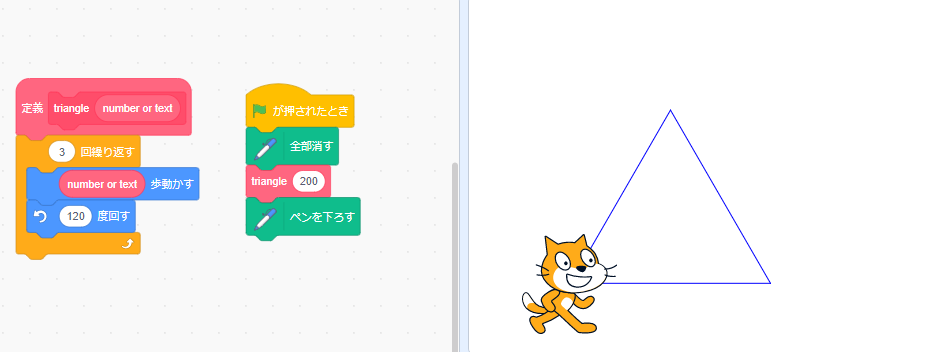
See? By simply changing the number in the “triangle” block from 300 to 200, we’ve drawn a smaller triangle. With this, you’ve mastered the first magic!
Step 2: The Forbidden Spell?! – “Calling Yourself”
Now for the main event. Let’s tackle the second magic, “recursion.” This is a slightly strange technique where a program calls its own spell from within that very spell.
Imagine saying the “triangle” spell, but in the middle of it, you start saying an even smaller “triangle” spell. While drawing a side of a triangle, you create a new triangle at its very tip.
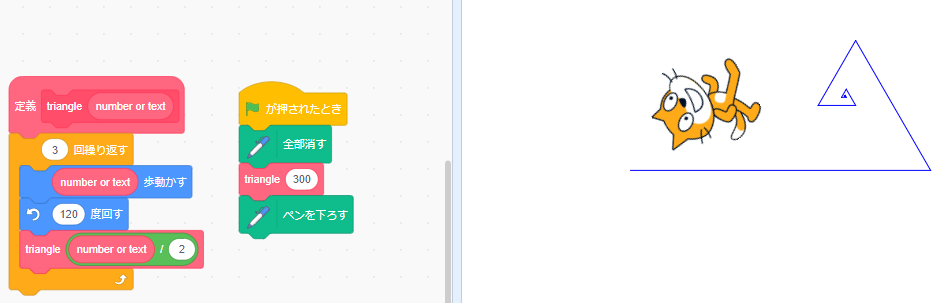
The key to the program is that the “triangle” block calls another “triangle” block from inside itself. And each time it calls, it halves the length of the side (number or text / 2).
So, what happens when you run this?
Oh no! The program keeps calling itself, and the cat draws endlessly without stopping! It’s a runaway program! Yes, you need to tell this magic when it’s time to stop.
Step 3: Control the Magic and Complete the Art!
To stop the runaway magic, we’ll add a stopping condition: “If the side length is greater than 10, continue the process. But if it’s smaller than that, it’s over!”
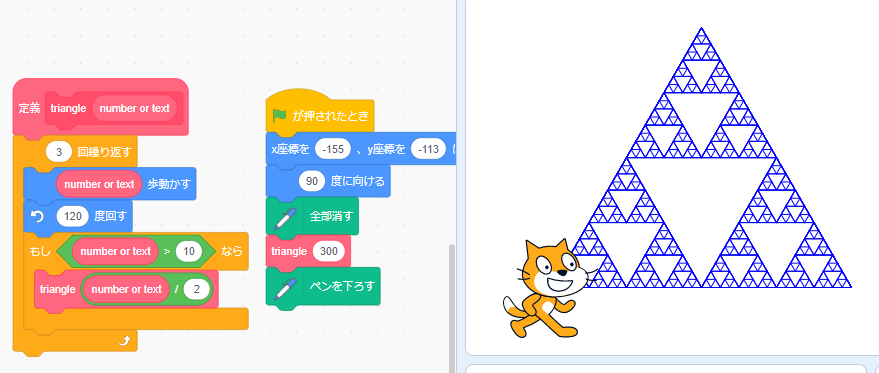
By adding just this one rule, the infinite runaway stops, and an orderly and beautiful fractal shape emerges.
A simple rule to “draw a triangle,” a rule to “repeat the same thing at half the size at the end of each side,” and a rule to “stop if it gets too small.” With just this combination, such a complex and beautiful pattern is born.
It’s also fun to take your time and follow the program’s movements to see why this happens. You’ll feel the thrill of recreating the mysteries of the natural world with your own hands!
Contact & Commissioning
We bring the wonders and fun of science closer to you! We’ve put together easy-to-understand tips and fun science experiments you can do at home. Feel free to search for various topics!
・About the manager, Ken Kuwako: here
・For various requests (writing, lectures, experimental classes, TV supervision, appearances, etc.): here
・Article updates are delivered on X!
 The Science Channel is distributing experimental videos!
9月のイチオシ実験!
テレビ番組監修・イベント等のお知らせ
- 9月25日(金)21:00〜 かまいたちの瞬間回答!にて、科学監修を行いました。
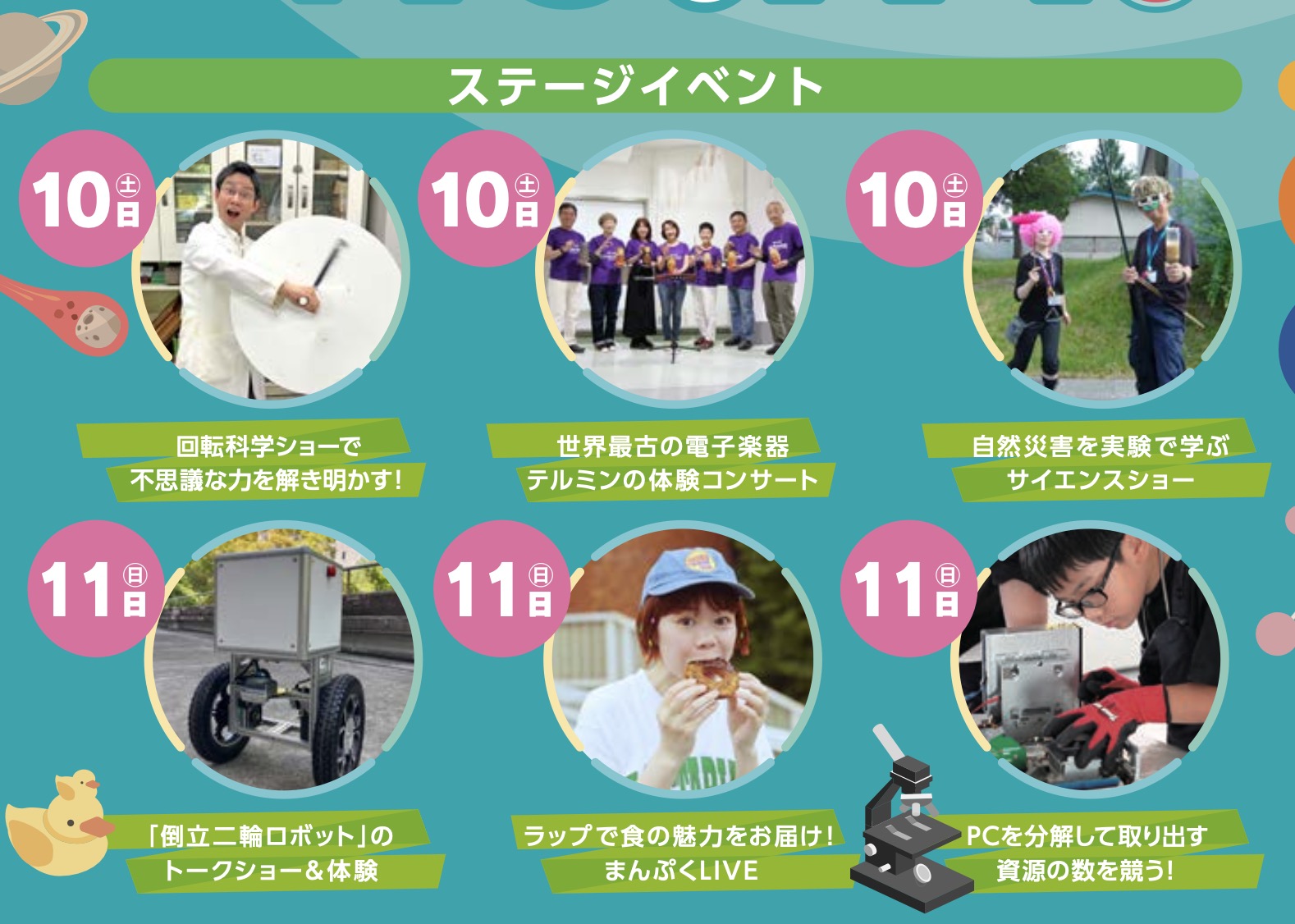
- 10月10日(土)11:15~12:00 千葉市科学フェスタ2026「桑子先生の回転科学ショー」にてサイエンスショーを行います。
- 12月26日(土) ナリカサイエンスアカデミー(教員向け実験講習会)開催
書籍のお知らせ
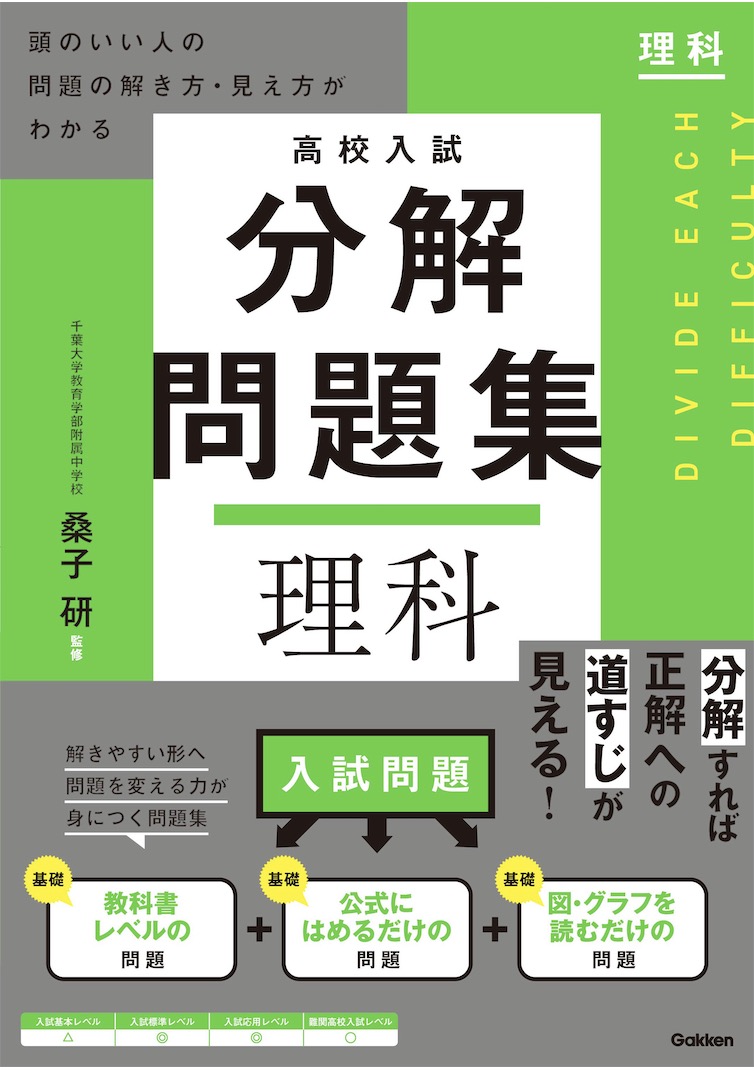
- 『高校入試 分解問題集 理科』(学研)…難しい問題も小さな問題に分解することで、問題を解くことができます。そんな分解の技術が身につくように深く関わりを持って作りました。
 『大人のための高校物理復習帳』(講談社)…一般向けに日常の物理について公式を元に紐解きました。特設サイトでは実験を多数紹介しています。※増刷がかかり6刷となりました(2026/02/01)

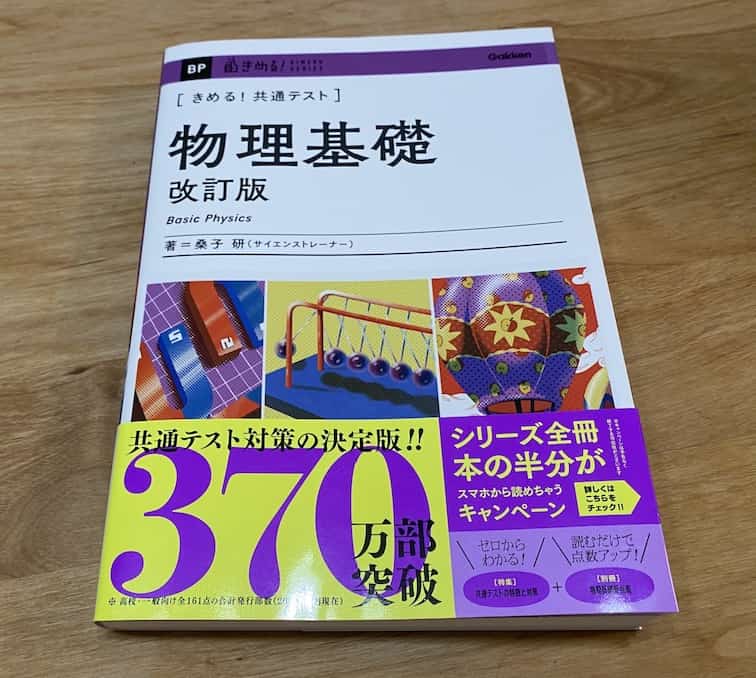
- 『きめる!共通テスト 物理基礎 改訂版』(学研)… 高校物理の参考書です。イラストを多くしてイメージが持てるように描きました。授業についていけない、物理が苦手、そんな生徒におすすめです。特設サイトはこちら。
各種SNS(更新情報をお届け!)
【日本語】X(Twitter)/instagram/Facebook 【英語】BlueSky/Threads
Explore
- 楽しい実験…お子さんと一緒に夢中になれるイチオシの科学実験を多数紹介しています。また、高校物理の理解を深めるための動画教材も用意しました。
- 理科の教材… 理科教師をバックアップ!授業の質を高め、準備を効率化するための選りすぐりの教材を紹介しています。
- Youtube…科学実験等の動画を配信しています。
- 科学ラジオ …科学トピックをほぼ毎日配信中!AI技術を駆使して作成した「耳で楽しむ科学」をお届けします。
- 講演 …全国各地で実験講習会・サイエンスショー等を行っています。
- About …「科学のネタ帳」のコンセプトや、運営者である桑子研のプロフィール・想いをまとめています。
- お問い合わせ …実験教室のご依頼、執筆・講演の相談、科学監修等はこちらのフォームからお寄せください。